






VinciFlow - Stream Graphics Master
VinciFlow is the evolution of Smart Lower Thirds. While we started with simple text overlays, our community pushed us to build something bigger. We realized you weren't just showing text; you were sculpting the entire flow of your broadcast.
Screenshots
Preview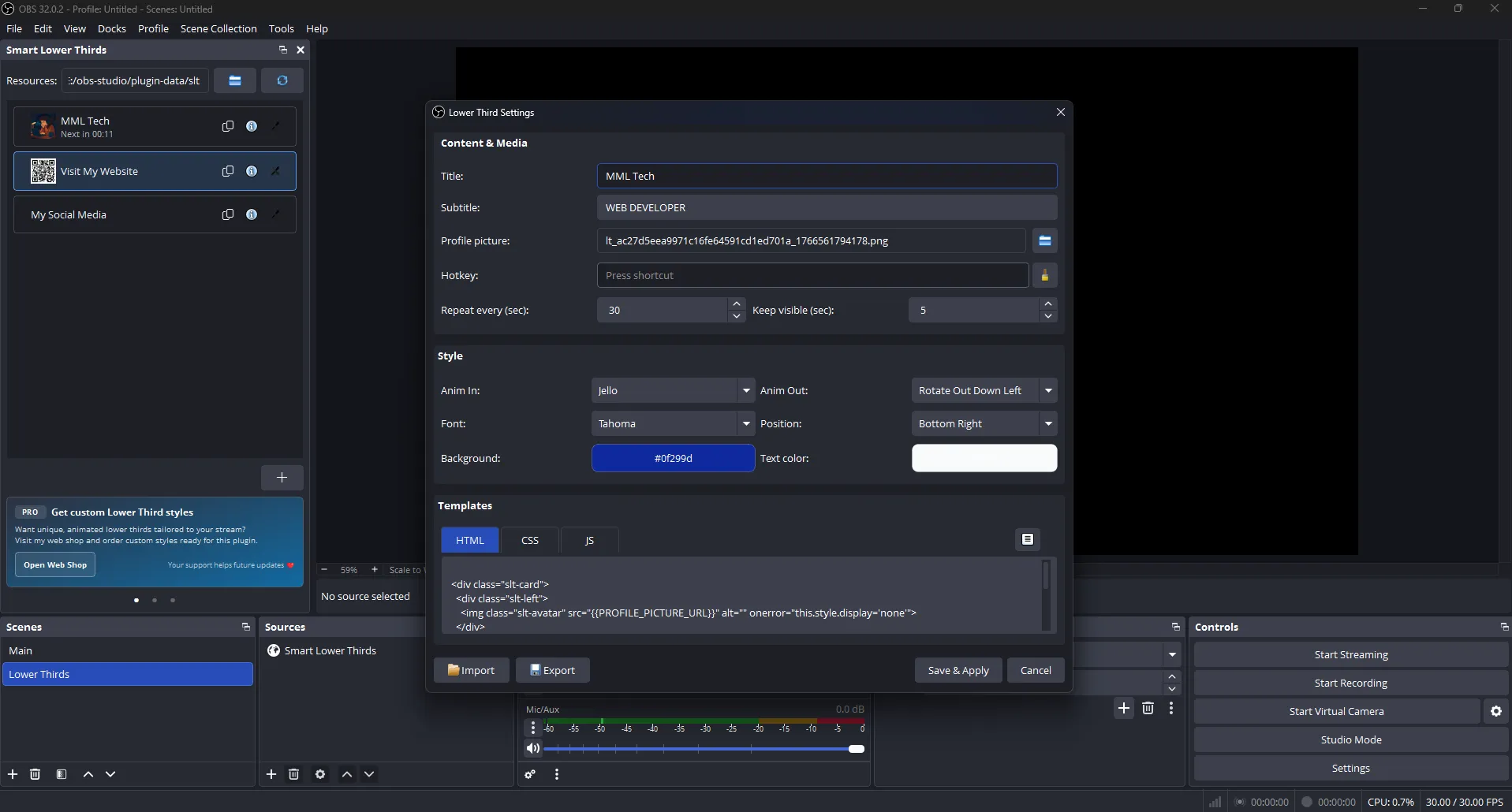
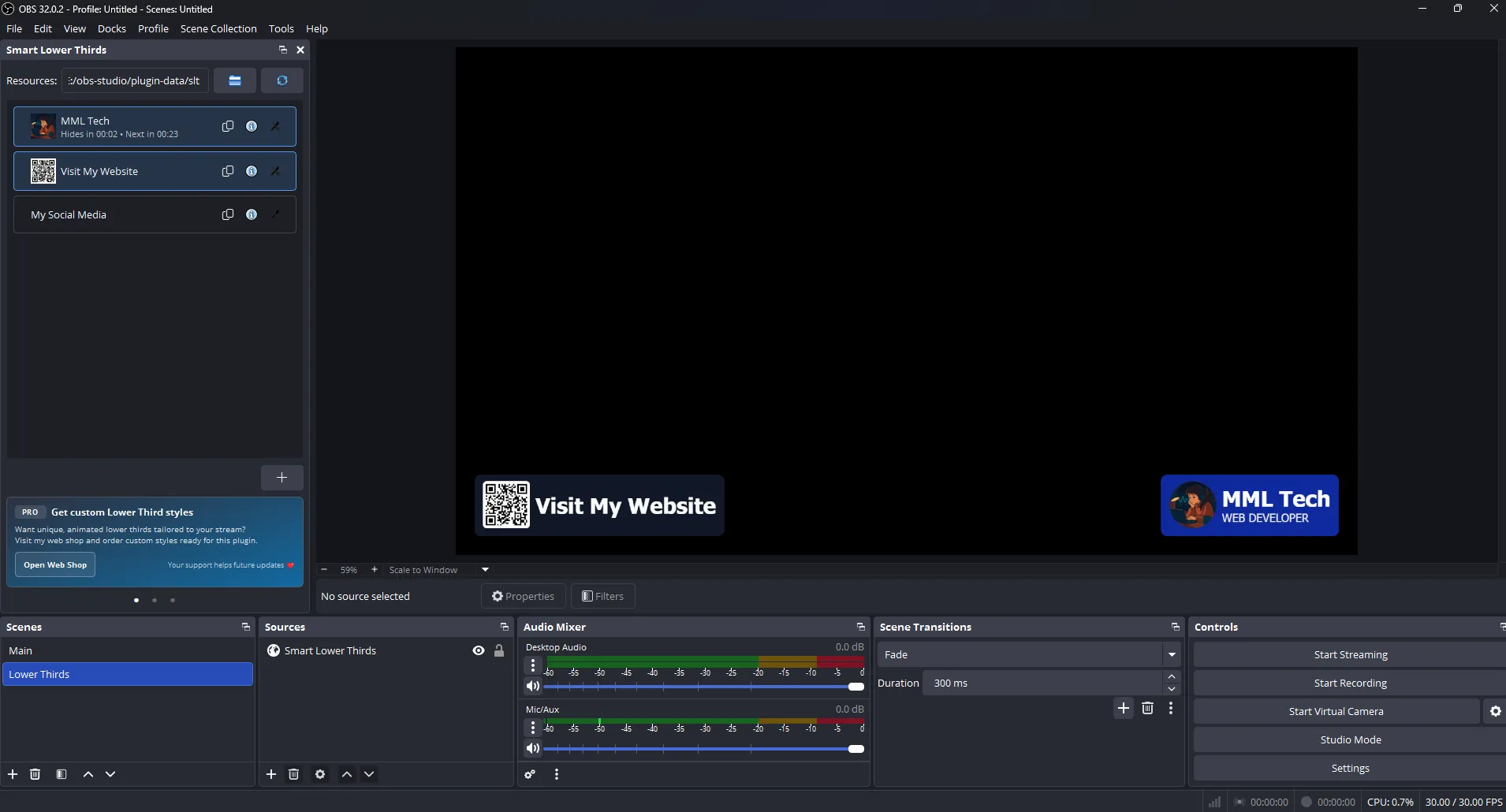
VinciFlow (formerly Smart Lower Thirds) is a high-performance broadcast graphics engine for OBS Studio. Engineered for creators who demand professional, automated on-screen visuals without the technical overhead, VinciFlow allows you to sculpt your stream's identity with genius-level precision. Whether you are a Twitch streamer, esports producer, or live event broadcaster, you can now trigger elite, broadcast-standard interfaces directly from your OBS dock.
The Ultimate Graphics & Lower Thirds Engine for OBS Studio
Stop struggling with complex overlay servers or clunky static images. VinciFlow provides a seamless, integrated workflow that lives entirely inside your production software. It has evolved beyond simple text to become the most reliable OBS overlay controller for professional, multi-layered broadcasts.
- Masterwork Control: Trigger lower thirds, sports scoreboards, and segment titles from a dedicated VinciFlow OBS Dock or via Custom Hotkeys.
- Artistic Motion: Smooth, flicker-free transitions powered by an optimized animation engine for a high-budget TV look.
- Intelligent Flow: Use Advanced Automation to cycle through sponsor highlights, social reminders, or data-driven calls-to-action.
- Zero-Lag Architecture: A modern
local-fileworkflow means no background servers, no ports, and no "localhost" network lag.
Powerful Features for Professional Producers
Seamless OBS Integration & Stream Deck Support
Control every visual element within your workspace. The VinciFlow Dock allows you to show, hide, or toggle complex graphics on the fly. It is 100% Stream Deck friendly, allowing for one-touch operation of entire sports interfaces or talk-show graphics.
Complete "Renaissance" Customization
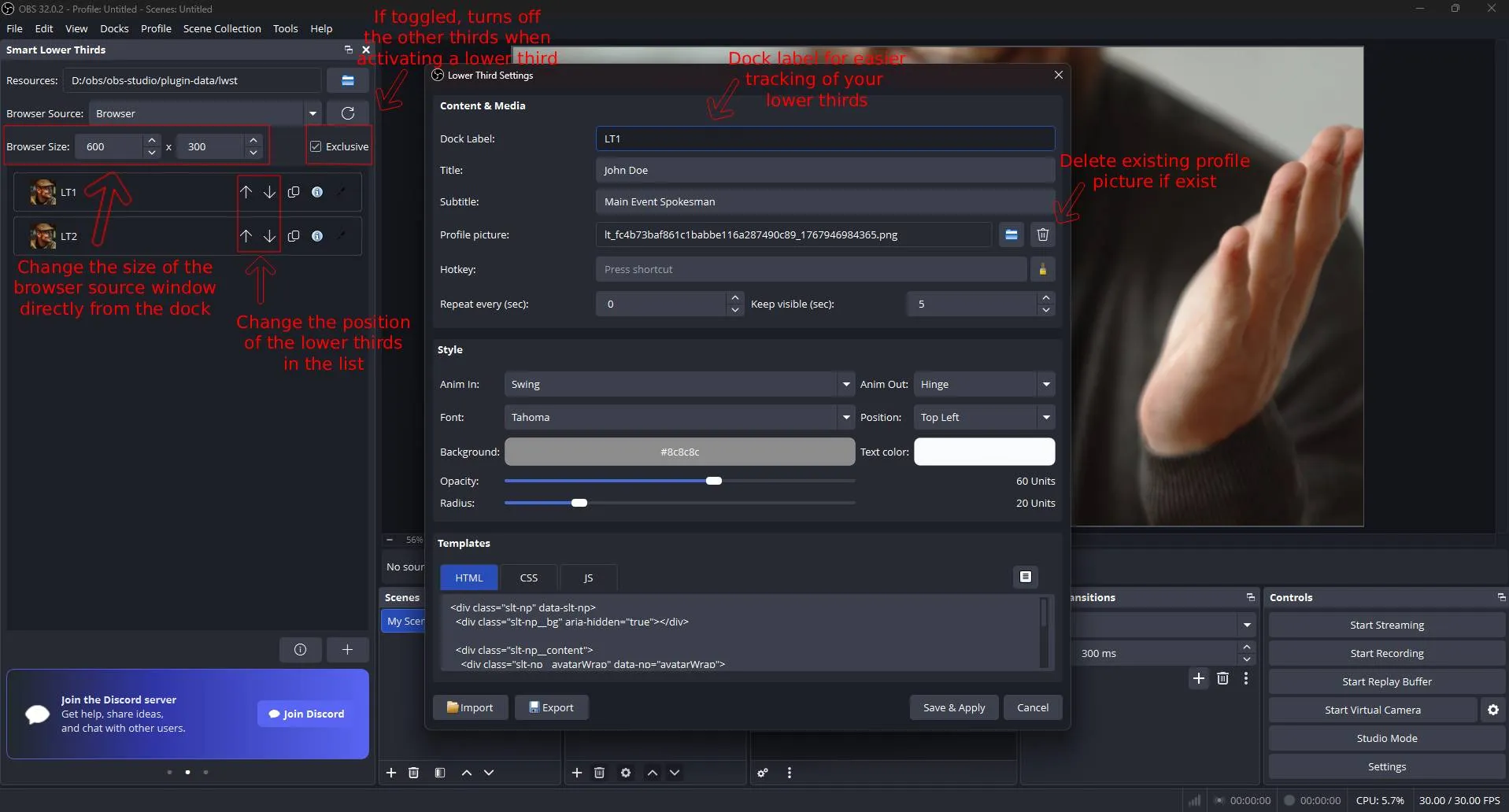
Match your brand’s aesthetic perfectly. Adjust BG_COLOR, TEXT_COLOR, FONT_FAMILY, and RADIUS through a simple, high-tech interface. For power users, VinciFlow supports custom HTML/CSS templates for total design freedom.
Unlimited Profiles: From Guests to Sports Stats
Create as many entries as your show needs. Whether you are managing one guest or a full Sports Scoreboard with player rosters, VinciFlow handles unlimited names, roles, and statistics. With Import/Export functionality, your masterwork setup travels with you.
Exclusive Cue Mode for Professional Transitions
Ensure a polished broadcast by enabling Exclusive Mode. This feature acts as a smart controller, automatically hiding the active graphic when a new one is triggered to prevent messy overlapping visuals.
The Essential Tool for Complex Live Production
VinciFlow is the premier choice for podcasters, esports leagues, news broadcasters, and studio teams who need fast, reliable graphics like:
Live Sports Scoreboards • Dynamic Lower Thirds • Sponsor Tickers • Automated Segment Titles • Interactive Data Overlays
Step Into the Future with VinciFlow
Elevate your production value in minutes. Simply download the engine, choose your output folder, and start creating professional automated overlays that distinguish your brand from the noise.
Looking for technical details? For advanced configuration, CSS placeholders, and developer setup, please visit the official VinciFlow Documentation.
Frequently Asked Questions
What happened to Smart Lower Thirds?
Smart Lower Thirds has evolved! To avoid confusion with inferior tools and to better represent our new features like Sports Interface Support and Advanced Automation we have rebranded to VinciFlow. Your existing data and settings are 100% compatible.
Why are my settings or names not saving?
This is usually due to Windows Folder Permissions. If your overlay folder is located inside C:\Program Files\obs-studio, Windows may prevent the engine from writing to the plugin.json file.
The Fix: Move your VinciFlow folder to a user-accessible directory like Documents or your User folder. Re-link the source in OBS, and your data will save correctly.
Does VinciFlow work with Elgato Stream Deck?
Yes! Since the engine supports OBS Hotkeys, you can map any trigger or cue to a Stream Deck button for seamless, one-touch control during live segments.
Will this plugin cause lag or high CPU usage?
No. Unlike browser-based overlays that rely on external servers or heavy cloud resources, VinciFlow uses a local-file workflow. This ensures zero "localhost" lag and extremely low impact on your system resources.
Can I use custom fonts and brand colors?
Absolutely. You can customize the font family, background colors, and accent colors directly in the OBS Dock interface. Advanced users can also modify the underlying CSS for unlimited design potential.
Is there a limit to how many graphics I can create?
There is no limit. You can create unlimited profiles for guests, sports scoreboards, and social media calls-to-action, making it ideal for large scale broadcast productions.

