









Live Weather & Clock Overlay for OBS - Fully Configurable OpenWeather Widget
A clean, modern, and fully configurable OBS browser source overlay that displays live weather data and local time using OpenWeather API, with support for geocoding, units, languages, feature toggles, and complete visual theming for professional streams.
Screenshots
Preview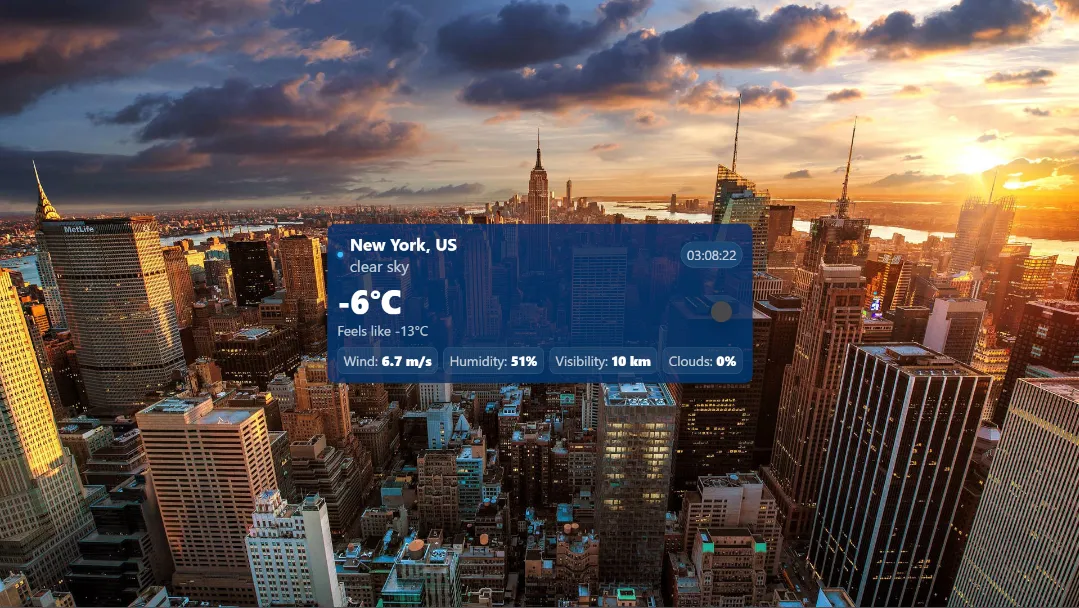
Live Weather & Clock Overlay for OBS Studio
If you are experiencing difficulties configuring this overlay, feel free to contact me at [email protected] or reach out directly on Discord.
This modern browser-source overlay brings real-time weather information directly into your livestream, powered by the OpenWeather API and designed for professional broadcast use on OBS Studio, Streamlabs, Twitch, YouTube, and Kick.
The overlay automatically retrieves current conditions such as temperature, feels-like value, wind speed, humidity, visibility, cloud coverage, and localized weather descriptions. A built-in digital clock synchronized to any IANA timezone ensures your on-screen time always matches your target city or event location.
Highly Configurable via JSON
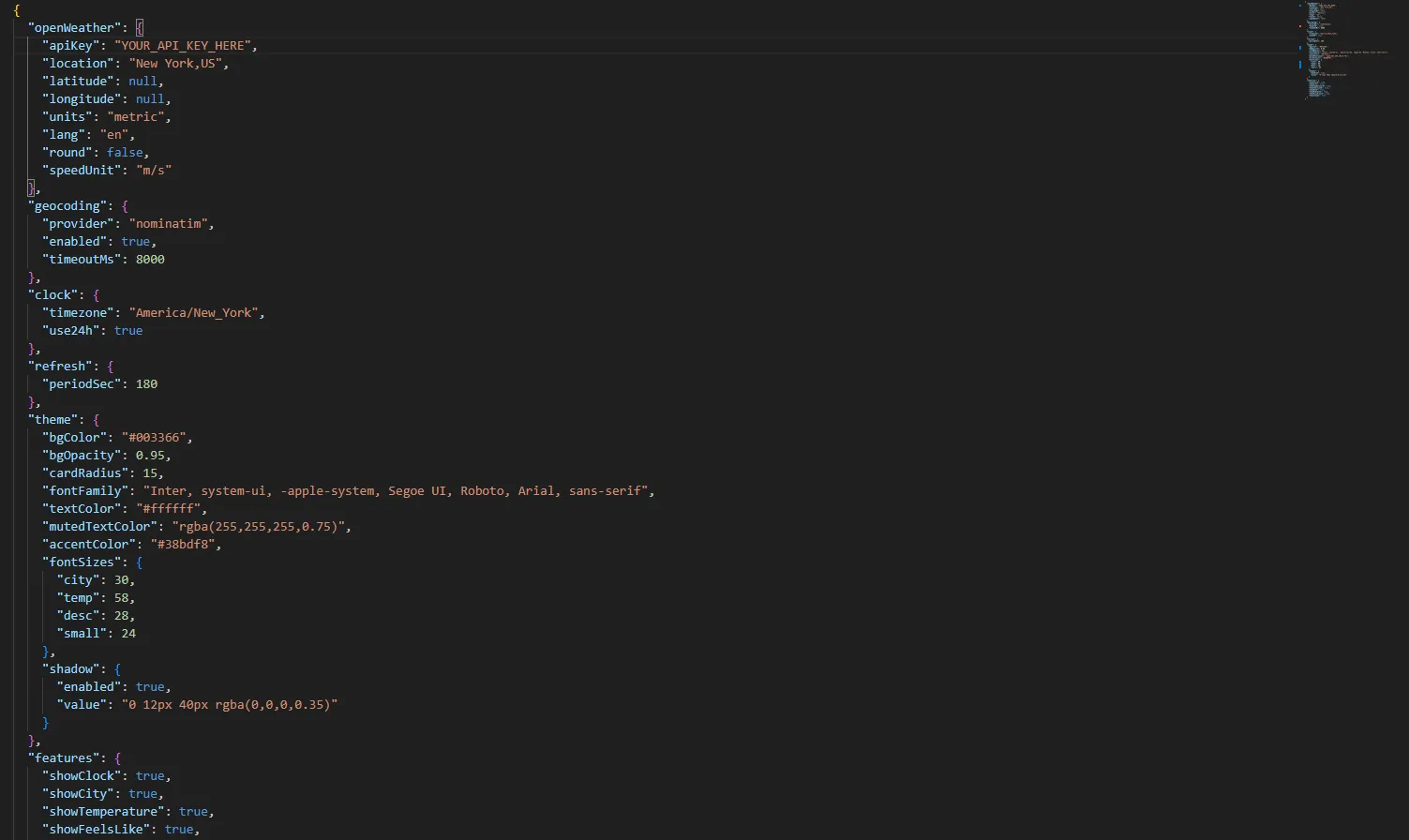
Every aspect of the overlay is controlled through a simple config.json file. You can define the location by city name or precise GPS coordinates, select metric or imperial units, choose display language, control refresh intervals, and enable or disable individual data blocks such as wind, clouds, or humidity.
Automatic Geocoding & Smart Updates
With integrated Nominatim geocoding, the overlay can automatically convert city names into accurate coordinates. Weather data is refreshed at configurable intervals, ensuring low API usage while keeping your stream information current.
Custom Visual Theme Engine
The overlay features a fully themeable UI system. You can customize background color and opacity, rounded corners, fonts, accent colors, shadow depth, and individual font sizes for city name, temperature, descriptions, and statistics. This allows perfect visual integration with any streaming overlay pack or brand identity.
Broadcast-Ready Feature Toggles
Each information block can be individually enabled or disabled, allowing you to create minimal clean layouts or full-featured weather panels. Show only temperature and city for compact scenes, or display the complete meteorological dashboard for intermission, IRL, travel, or outdoor streams.
Whether you are running a news-style broadcast, an IRL travel stream, a flight simulator session, or simply want immersive environmental context for your viewers, this OpenWeather-powered overlay delivers accurate data, smooth visuals, and full professional-grade customization.

